
Mac App Uninstaller: Inspect Apps and Related Files
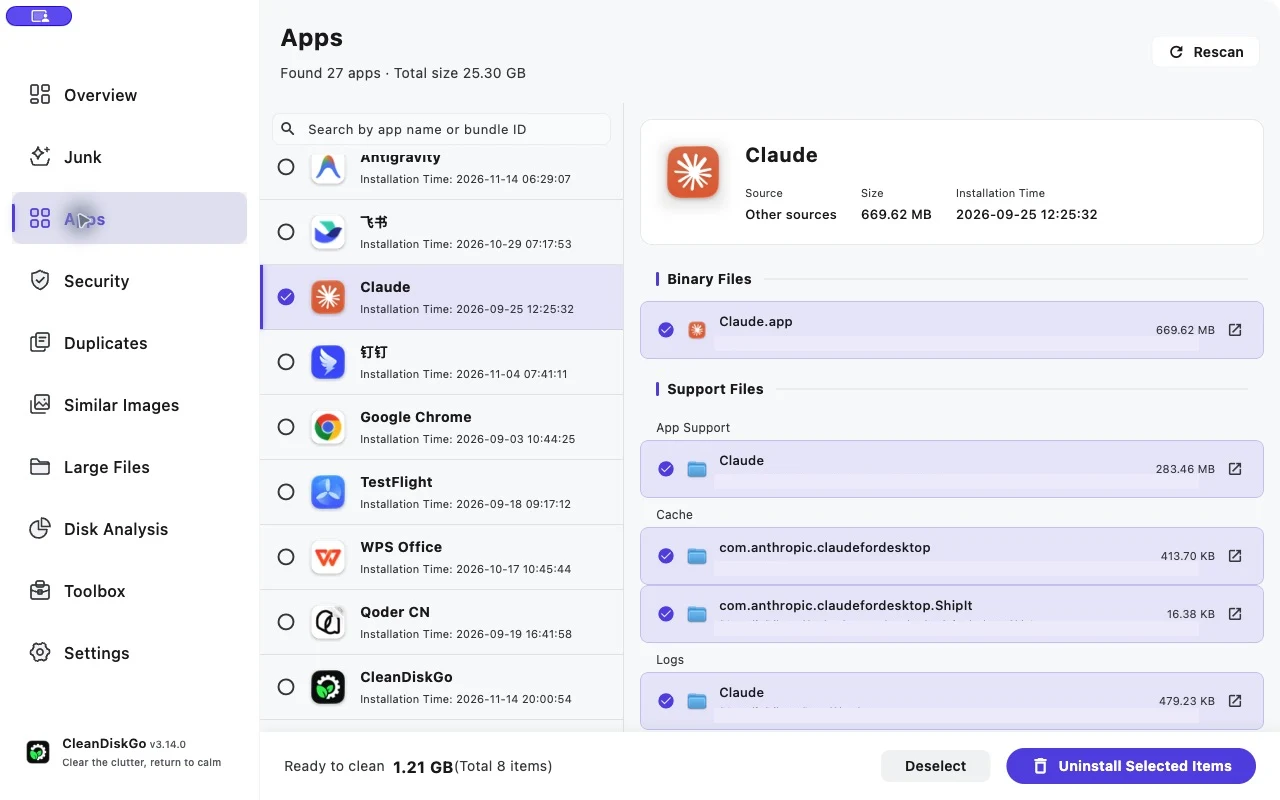
Deleting an app and deleting its documents are different tasks. CleanDiskGo's Apps view helps you inspect an application together with the related files found during a scan.
How to review an uninstall
- Open Apps and wait for the application list.
- Select an app to inspect its binary, supporting files, caches and logs.
- Review the paths and deselect data you want to keep.
- Quit the app before confirming the uninstall.
Keep the data you may need again
Supporting files can contain preferences, local databases and other valuable data. Back up anything you need. Removing files locally does not cancel a subscription or delete the vendor's cloud account.
Some apps install system extensions or background services. Use the vendor's uninstaller when one is provided. Protected files and permission limits mean that no cleanup should be described as removing every possible trace.
See how to uninstall apps on Mac for the built-in Finder method and exceptions.
Start Cleaning Your Mac
Download CleanDiskGo for free and give your Mac a fresh start
Privacy Safe
Local Processing
Free to Use