
How to Review Junk Files on Mac Safely
CleanDiskGo Team · Updated 2026-11-15
Define what you no longer need
There is no universal folder containing only junk. Caches, logs, downloaded installers and personal documents have different risks and purposes.
Work through a review checklist
- Save work and keep a current backup.
- Review old installers and repeated exports in Downloads.
- Inspect unusually large app caches using the app's own settings or a scoped scan.
- Preserve logs needed for troubleshooting.
- Check the selected paths before confirming any removal.
Do not delete entire Library folders or assume an app support database is rebuildable.
Use CleanDiskGo as a review interface
Open Junk, scan and read the category descriptions. Deselect unfamiliar content; a selected byte total is an estimate, not proof of space already recovered.
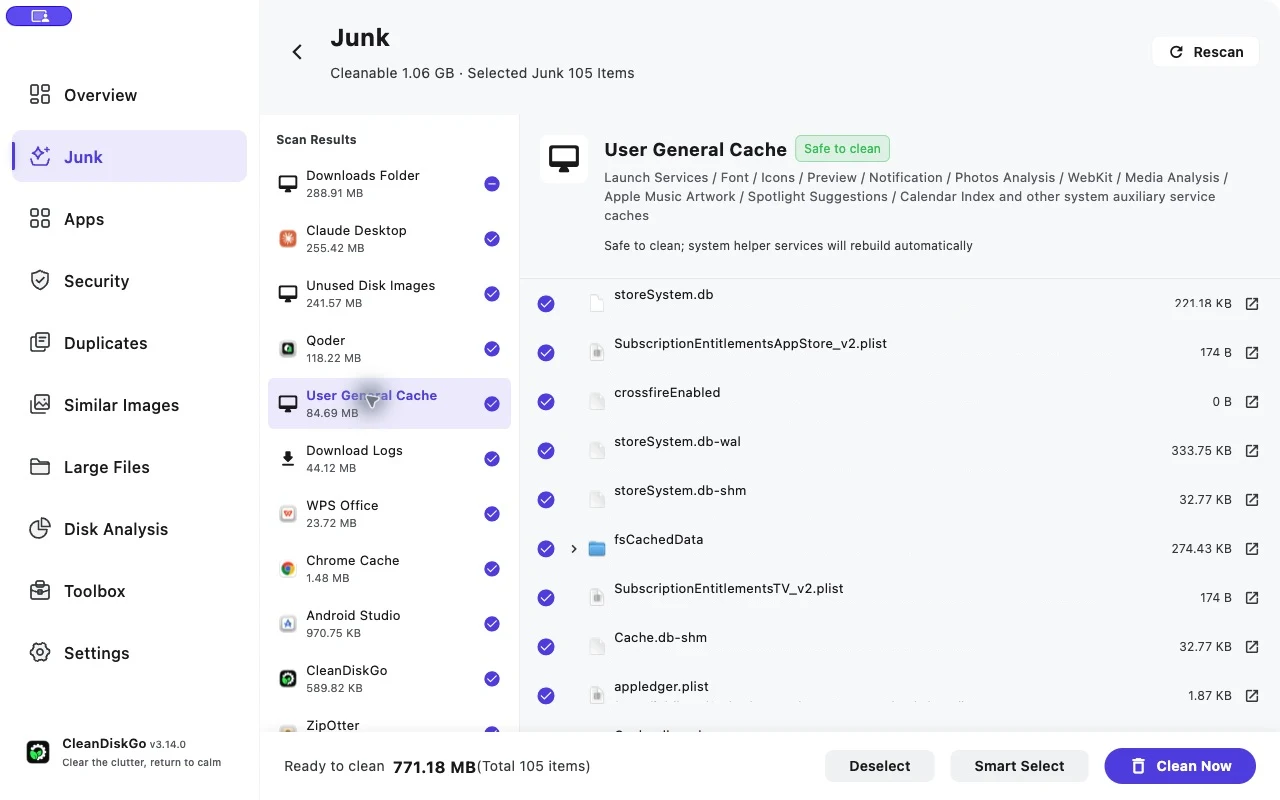
Check the outcome
Reopen affected apps and compare available storage after macOS updates its calculations. Caches can return during normal use. For major capacity problems, inspect large files as well.
Start Cleaning Your Mac
Download CleanDiskGo for free and give your Mac a fresh start
Privacy Safe
Local Processing
Free to Use